Based on active and completed deployments as of 2026.
Learn more

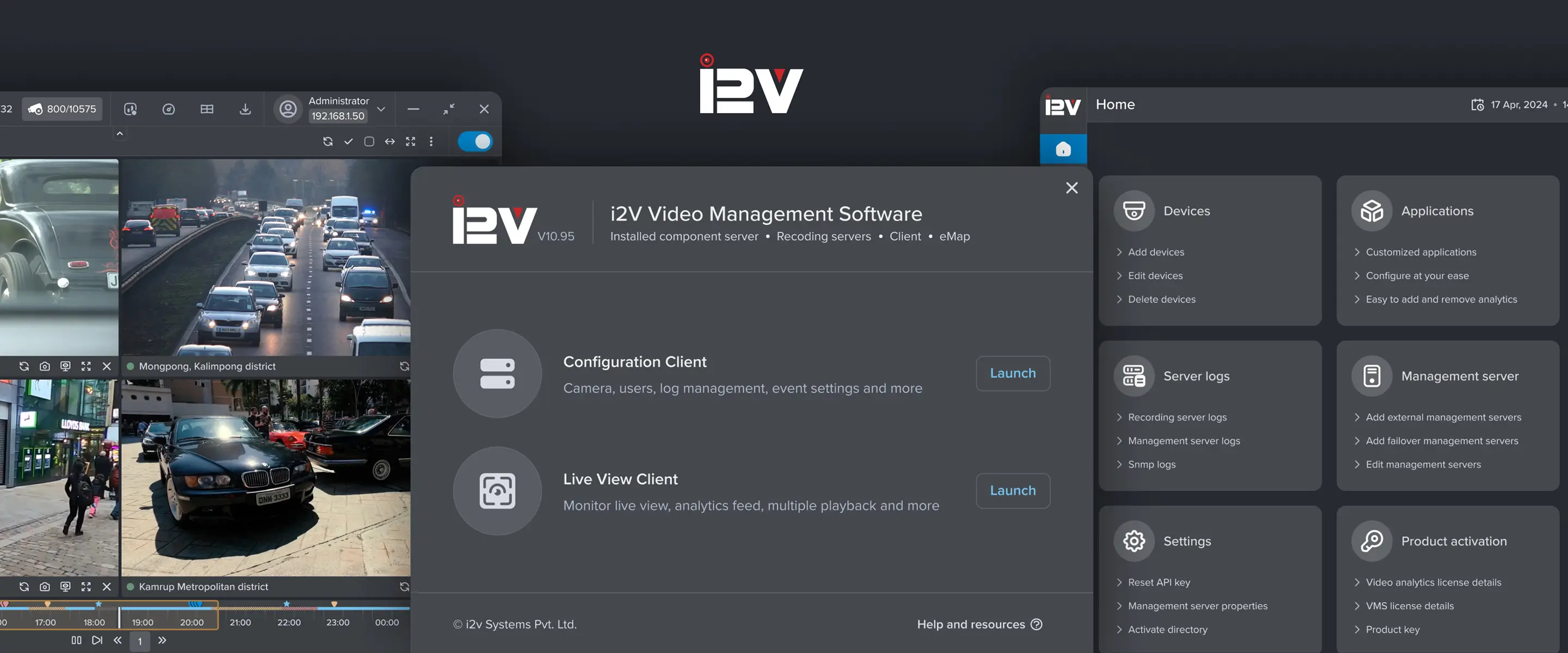

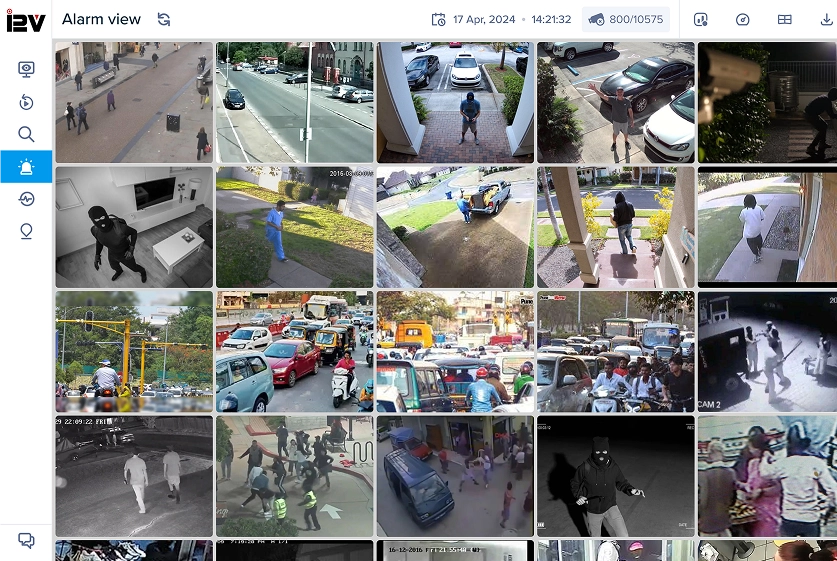
AI smart surveillance
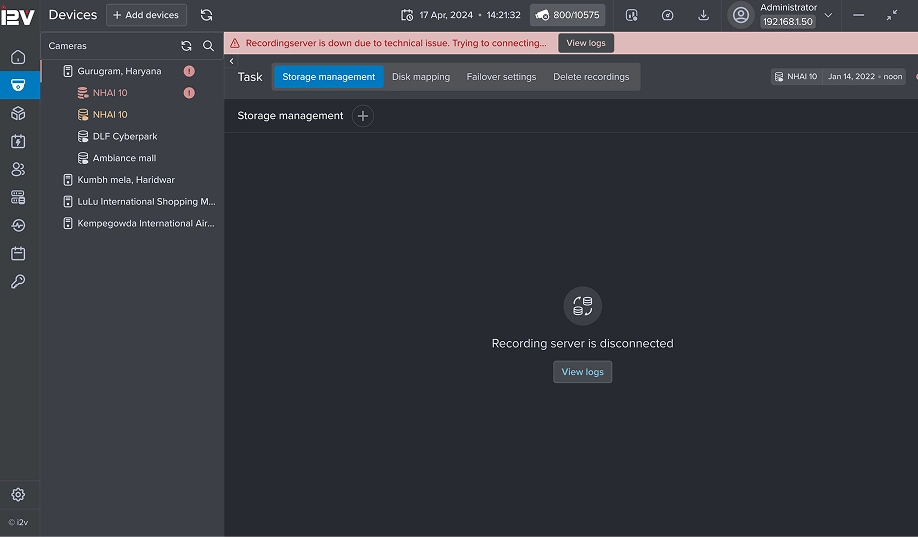
Advanced AI-based built-in video analytics help detect suspicious behavior, fire, PPE kit violations, and more, reducing the need for manual monitoring.

Compatibility tested with supported protocols and models, results may vary with non-standard devices.
Learn more
Optimized resource utilization
Supports more cameras using fewer hardware resources with efficient use of CPU, GPU, and storage IOPS, reducing overall infrastructure costs.

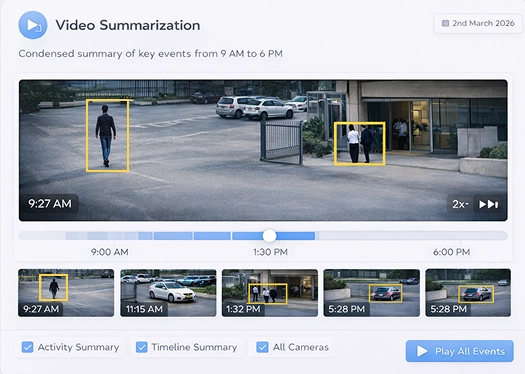
Intelligent video summarization
Summarizes long video footage to highlight key events, helping users quickly find important moments with less effort.

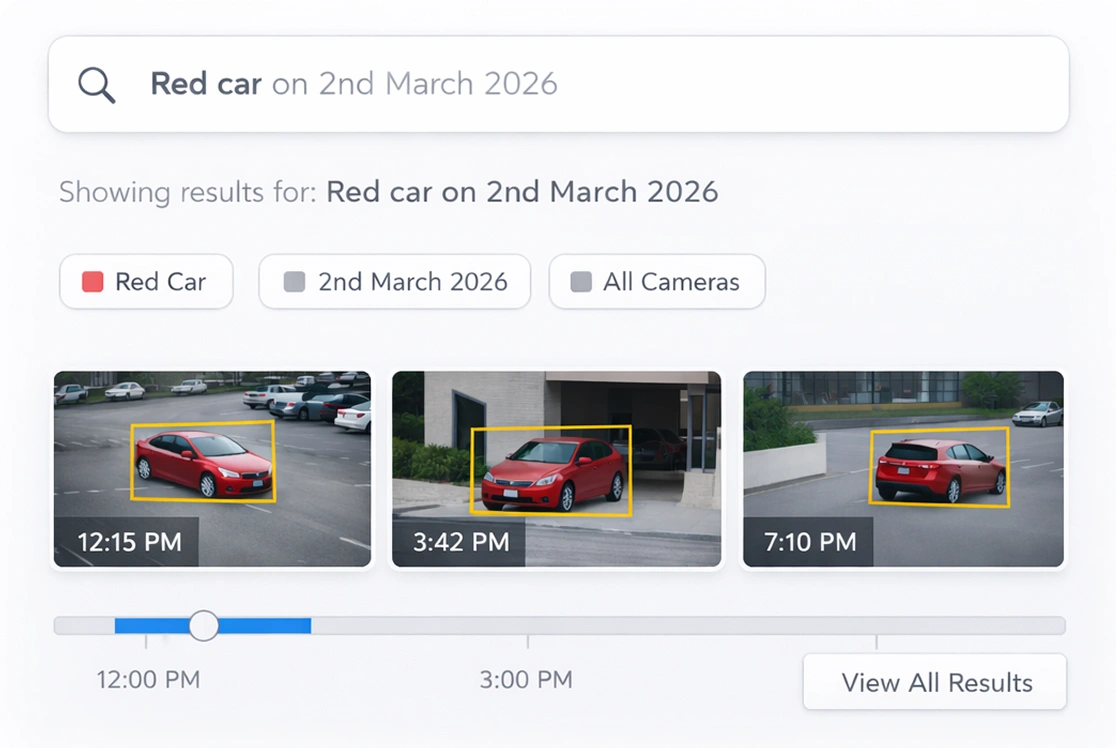
NLP-based smart search
Allows simple text-based search to quickly find video events and images, removing the need to manually scan footage.

Multi-os deployment support
Supports both windows and linux, enabling flexible, scalable deployments with optimized cost efficiency.

Resilient infrastructure
Designed for high availability with distributed architecture and built-in failover to ensure uninterrupted access.

Modular and flexible
Deploy only what you need—scale features, devices, and locations based on your current and future security requirements.

Based on tested configurations under recommended hardware and network conditions.
Learn more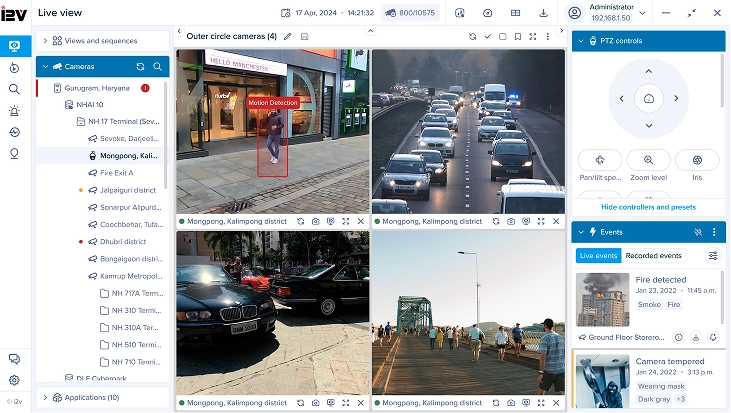
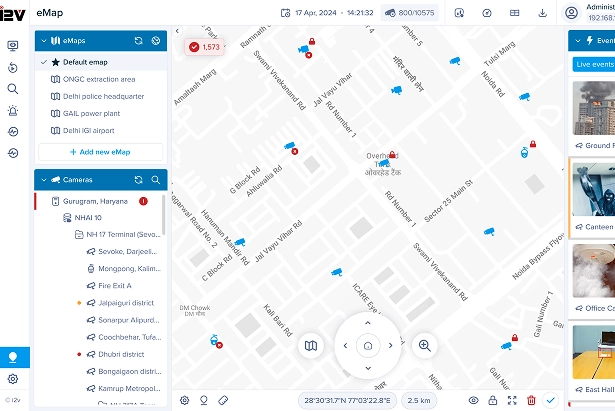
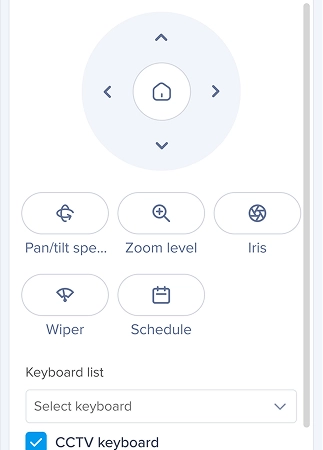
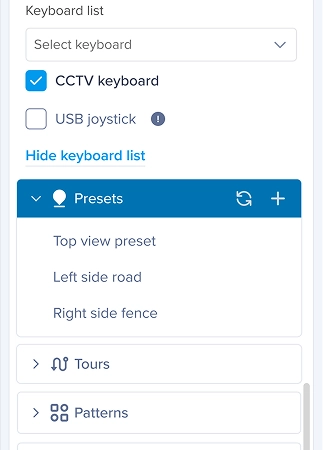
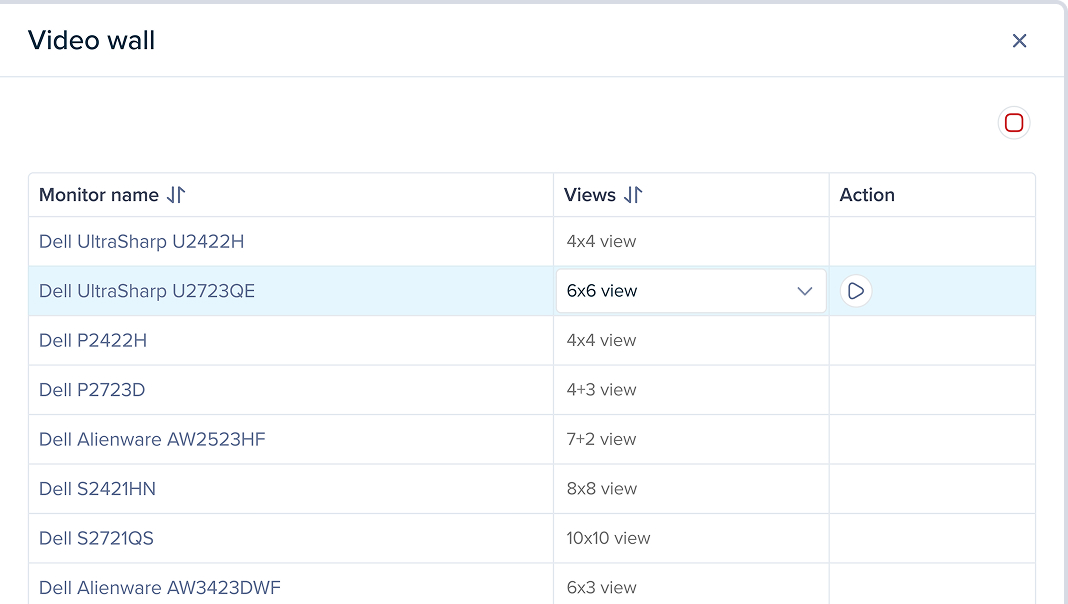

Performance may vary depending on display hardware and network conditions.
Learn moreConfiguration client
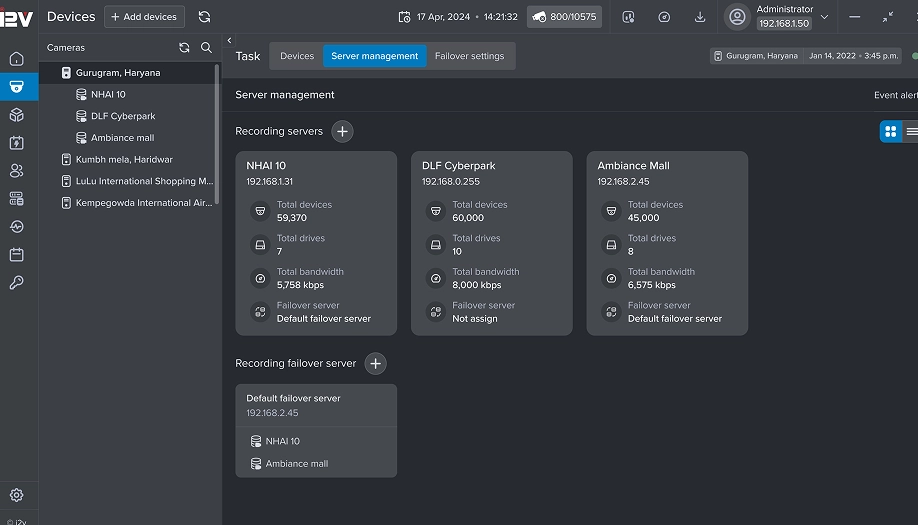
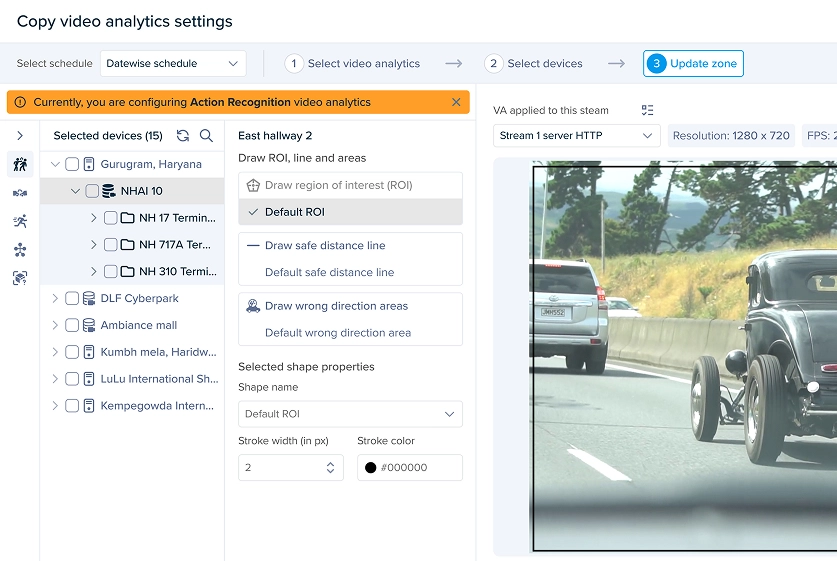
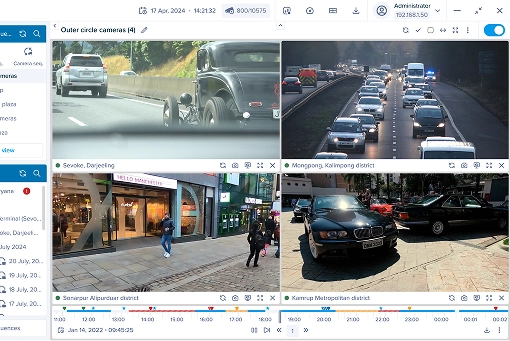
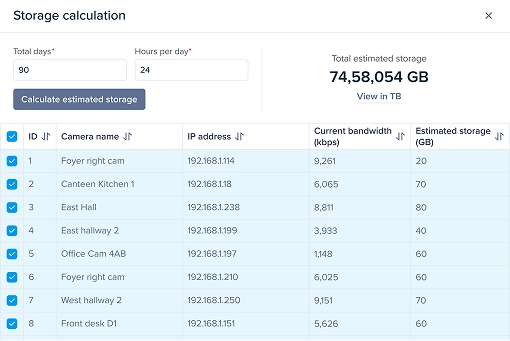
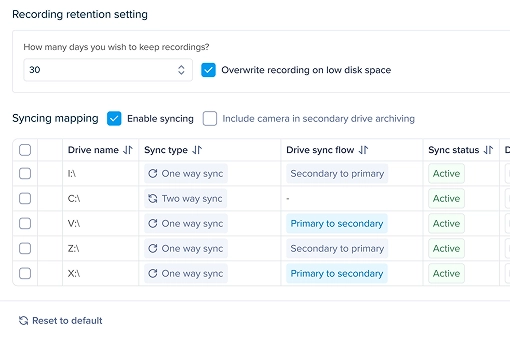
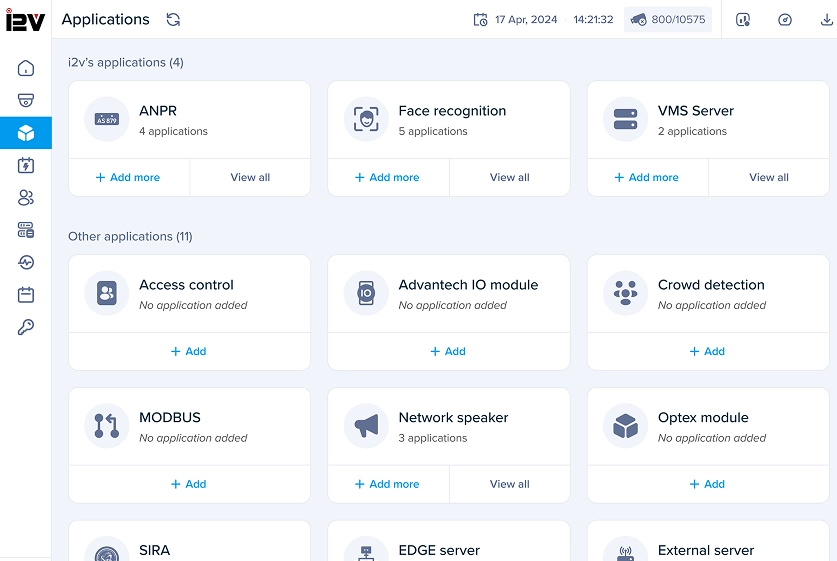
i2V configuration client offers a unified interface to manage devices, servers, storage, and alerts-both locally and remotely. It supports real-time testing, system health checks, structured device grouping, and reporting-making setup, maintenance, and troubleshooting efficient and user-friendly.
- Centralized configuration
- Remote & local setup
- Device management
- Search & documentation
- System health monitoring
- Live testing & diagnostics and more
User management
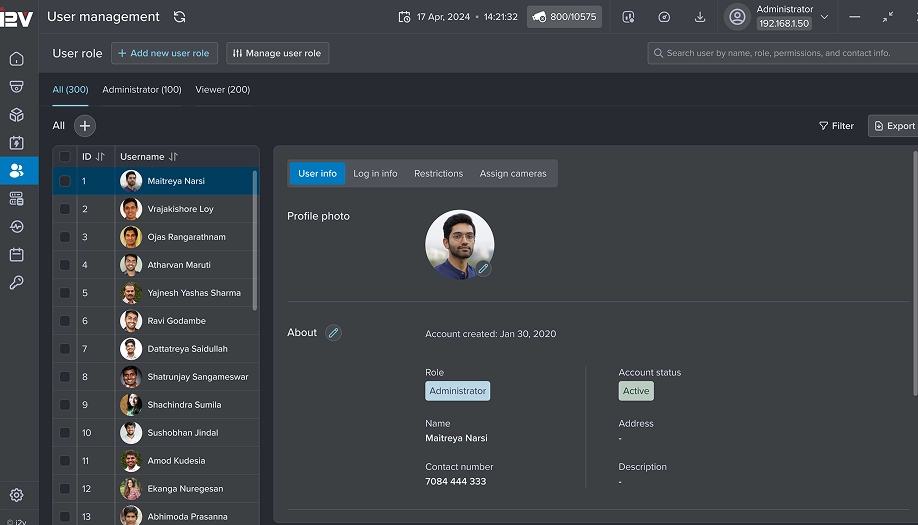
i2V’s user management provides secure, role-based access control with support for camera assignments, dual authentication, bulk permissions, and user activity tracking. With both web and desktop access, managing users is streamlined, scalable, and secure for any deployment size.
- Web & desktop access
- Role-based permissions
- Camera-level control
- Advanced authentication
- Simplified management
- Bulk actions & reporting
Camera management
i2V’s camera management streamlines device setup with auto-discovery, protocol support, bulk editing, and import tools. Whether you're managing 10 or 10,000 cameras, it ensures quick configuration, role-based control, and scalable operation with minimal effort.
- Auto & manual device discovery
- Wide protocol support
- Bulk camera management
- One-click settings sync
- Camera grouping & roles
- Easy import & sequencing
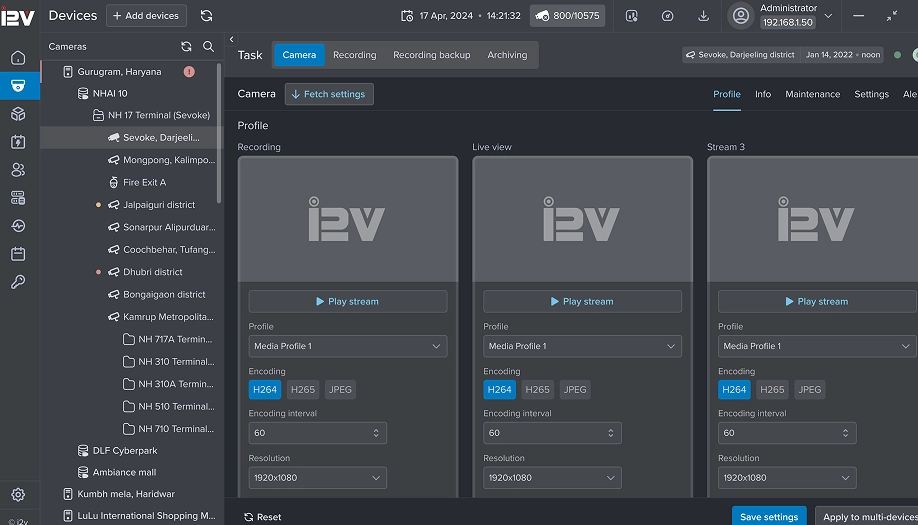
Failover/Redundancy
i2V’s Fail-over server minimizes system downtime by automatically taking over failed recording servers within seconds. With health checks, instant notifications, live sync, and support for multiple failover setups, it ensures high availability and uninterrupted surveillance operations.
- Uninterrupted video access
- Fast failure detection
- Scalable failover support
- Automated switch & sync
- Health checks & alerts
- Manual takeover option



Oil and gas

Energy

Smart cities
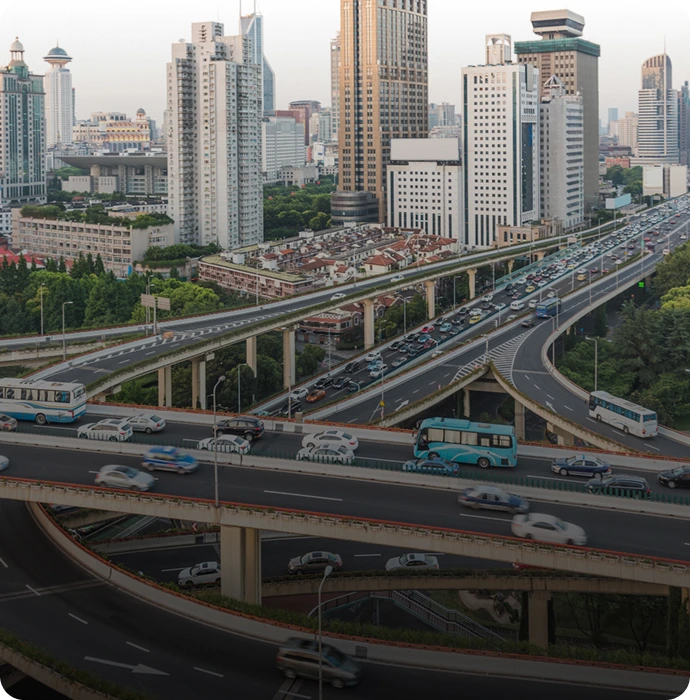
Transportation

Government

Retail

Education
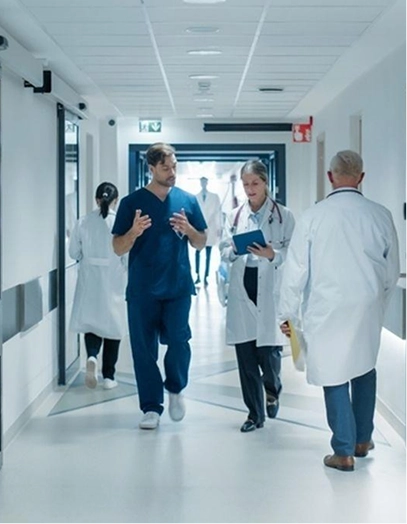
Healthcare

Hospitality
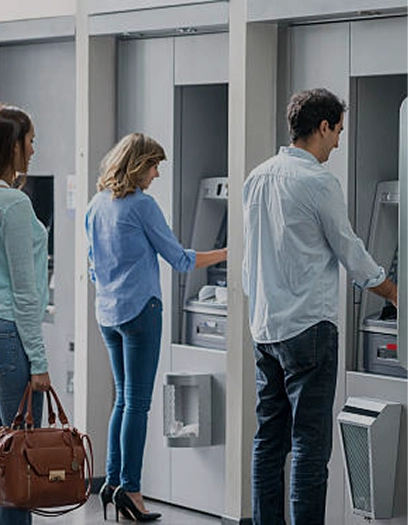
Financial institutions

 Deployment & architecture
Deployment & architecture - Max cameras supported
- Architecture
- Failover support
- Best suited for
- Scalable infrastructure
- Virtual server support
- Offsite storage
- Server health monitoring
- Centralised management
- Up to 32 cameras
- Single server

- Single site

- Up to 128 cameras
- Multi-server
- Growing sites
 Limited
- Unlimited (based on hardware)
- Multi-server + Redundancy
- Master–Slave failover
- Multi-location critical setups

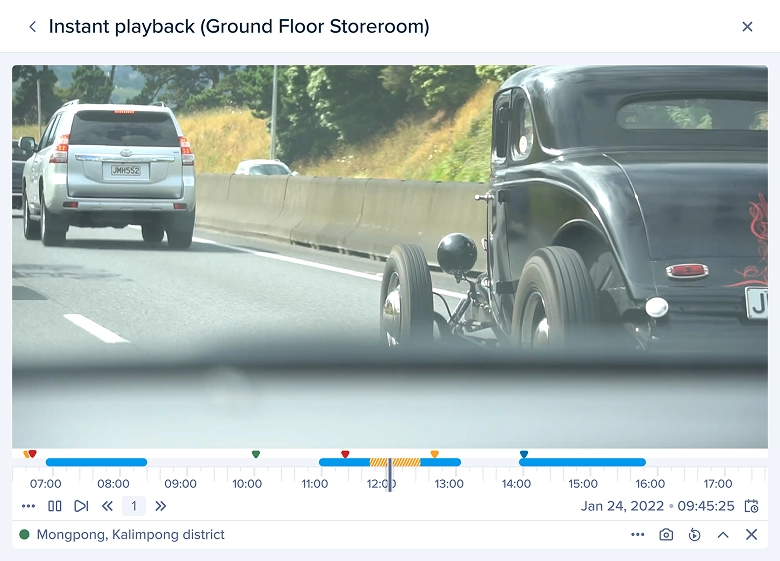
 Live view, playback & recording
Live view, playback & recording - View modes
- Remote access (web/mobile)
- HD / 4K / HEVC support
- Analytics-based recording
- Camera-level settings (FPS, resolution)
- Video streaming protocols
- Cloud archiving
- GPU decoding
- Record encrypted video
- Triplex
- Basic
- RTSP, HTTP, UDP, RTSPS
- Fourplex
- RTSP, HTTP, UDP, RTSPS
- Fourplex
- RTSP, HTTP, UDP, RTSPS

 Video analytics
Video analytics - Video analytics license
- Built-in analytics framework
- AI-based detection
- E-Map-based alarms
- Real-time alert triggers
- Event-based playback
- Rule-based action engine
- Required separately
- Required separately

 Device & third-party integration
Device & third-party integration - Add any ONVIF/IP camera
- Device limit (based on edition)
- Third-party integrations
- Video wall support
- SDK/API access
- E-Map with live alerts
- Integration with GIS (Google, ArcGIS)
- External VCA integration
- 32
- 128
- Limited
- Limited
- Limited
- Unlimited (based on hardware)

 Security & compliance
Security & compliance - Encrypted streaming
- Encrypted recording
- Multi-language support
- Health check dashboard
- User role management
- Secure HTTPS communication
- NTP synchronisation
- Audit-ready logs
- Limited

 Licensing & upgrade path
Licensing & upgrade path - Licensing model
- Camera license tied to MAC
- Upgrade path
- Free addition of cameras (licensed servers)
- License transfer support
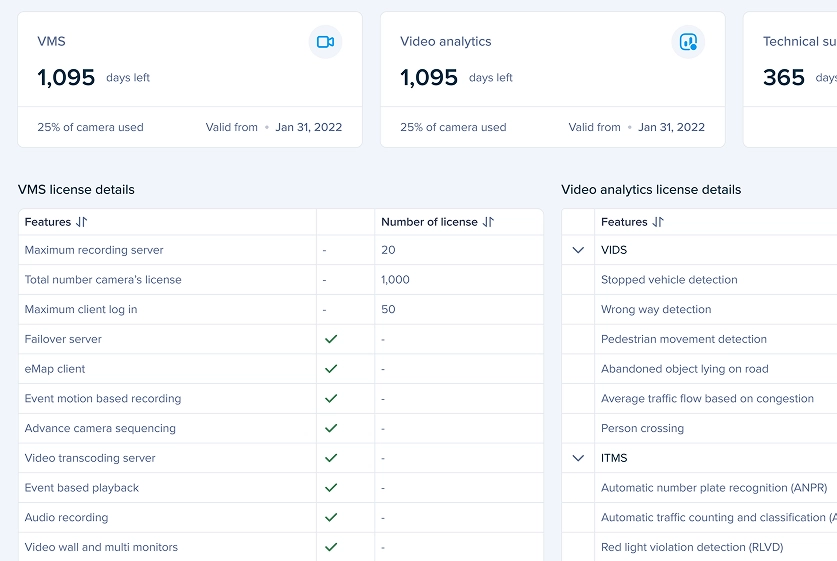
- Feature-based license matrix
- Easy software upgrade (web/download link)
- Per camera
- Manual upgrade
- Per camera + feature
- Expandable
- Per camera + feature
- Scalable
Deployment & Architecture
Deployment & Architecture - Max cameras supported
- Architecture
- Failover support
- Best suited for
- Up to 32 cameras
- Single server
- Single site
- Up to 128 cameras
- Multi-server
- Growing sites
- Unlimited (based on hardware)
- Multi-server + Redundancy
- Master–Slave failover
- Multi-location critical setups
Live View, Playback & Recording
Live View, Playback & Recording - View modes
- Remote access (Web/Mobile)
- HD / 4K / HEVC support
- Analytics-based recording
- Triplex
- Basic
- Fourplex
- Fourplex
Video Analytics
Video Analytics - Video analytics license
- Built-in analytics framework
- AI-based detection
- E-Map-based alarms
- Required separately
- Required separately
Device & Third-Party Integration
Device & Third-Party Integration - Add any ONVIF/IP camera
- Device limit (based on edition)
- Third-party integrations
- 32
- 128
- Limited
- Unlimited (based on hardware)
Security & Compliance
Security & Compliance - Encrypted streaming
- Encrypted recording
- Multi-language support
Licensing & Upgrade Path
Licensing & Upgrade Path - Licensing model
- Camera license tied to MAC
- Upgrade path
- Per camera
- Manual upgrade
- Per camera + feature
- Expandable
- Per camera + feature
- Scalable
Deployment & architecture
Deployment & architecture - Max cameras supported
- Architecture
- Failover support
- Best suited for
- Scalable infrastructure
- Virtual server support
- Offsite storage
- Server health monitoring
- Centralised management
- Up to 32 cameras
- Single server

- Single site

- Up to 128 cameras
- Multi-server
- Growing sites
- Limited
- Unlimited (based on hardware)
- Multi-server + Redundancy
- Master–Slave failover
- Multi-location critical setups
Live view, playback & recording
Live view, playback & recording - View modes
- Remote access (web/mobile)
- HD / 4K / HEVC support
- Analytics-based recording
- Camera-level settings (FPS, resolution)
- Video streaming protocols
- Cloud archiving
- GPU decoding
- Record encrypted video
- Triplex
- Basic
- RTSP, HTTP, UDP, RTSPS
- Fourplex
- RTSP, HTTP, UDP, RTSPS
- Fourplex
- RTSP, HTTP, UDP, RTSPS
Video analytics
Video analytics - Video analytics license
- Built-in analytics framework
- AI-based detection
- E-Map-based alarms
- Real-time alert triggers
- Event-based playback
- Rule-based action engine
- Required separately
- Required separately
Device & third-party integration
Device & third-party integration - Add any ONVIF/IP camera
- Device limit (based on edition)
- Third-party integrations
- Video wall support
- SDK/API access
- E-Map with live alerts
- Integration with GIS (Google, ArcGIS)
- External VCA integration
- 32
- 128
- Limited
- Limited
- Limited
- Unlimited (based on hardware)
Security & compliance
Security & compliance - Encrypted streaming
- Encrypted recording
- Multi-language support
- Health check dashboard
- User role management
- Secure HTTPS communication
- NTP synchronisation
- Audit-ready logs
- Limited
Licensing & upgrade path
Licensing & upgrade path - Licensing model
- Camera license tied to MAC
- Upgrade path
- Free addition of cameras (licensed servers)
- License transfer support
- Feature-based license matrix
- Easy software upgrade (web/download link)
- Per camera
- Manual upgrade
- Per camera + feature
- Expandable
- Per camera + feature
- Scalable
Deployment & Architecture
Deployment & Architecture - Max cameras supported
- Architecture
- Failover support
- Best suited for
- Up to 32 cameras
- Single server
- Single site
- Up to 128 cameras
- Multi-server
- Growing sites
- Unlimited (based on hardware)
- Multi-server + Redundancy
- Master–Slave failover
- Multi-location critical setups
Live View, Playback & Recording
Live View, Playback & Recording - View modes
- Remote access (Web/Mobile)
- HD / 4K / HEVC support
- Analytics-based recording
- Triplex
- Basic
- Fourplex
- Fourplex
Video Analytics
Video Analytics - Video analytics license
- Built-in analytics framework
- AI-based detection
- E-Map-based alarms
- Required separately
- Required separately
Device & Third-Party Integration
Device & Third-Party Integration - Add any ONVIF/IP camera
- Device limit (based on edition)
- Third-party integrations
- 32
- 128
- Limited
- Unlimited (based on hardware)
Security & Compliance
Security & Compliance - Encrypted streaming
- Encrypted recording
- Multi-language support
Licensing & Upgrade Path
Licensing & Upgrade Path - Licensing model
- Camera license tied to MAC
- Upgrade path
- Per camera
- Manual upgrade
- Per camera + feature
- Expandable
- Per camera + feature
- Scalable








 Legal disclaimer:
Performance metrics, deployment figures, analytics outputs, and results displayed on this website are based on specific implementation scenarios, controlled environments, or selected use cases. Actual performance may vary depending on hardware specifications, camera quality, network conditions, system configuration, site environment, lighting conditions, operational workflows, and other external factors.
All images, videos, illustrations, dashboards, maps, and demonstrations shown on this website are for representational, illustrative, and informational purposes only. They are intended to showcase product capabilities and possible deployment scenarios. Unless explicitly stated, no visual content should be interpreted as depicting an actual customer site, live project, installation, location, organization, or real-world event. Any names, layouts, footage, environments, or scenarios presented may be simulated, sample-based, licensed, generic, or recreated for demonstration purposes. Similarity to any actual site, entity, or project is purely coincidental. i2V systems accepts no responsibility and shall not be held liable for any errors, omissions, misuse, assumptions, or misinterpretation of product outputs, website content, visuals, or performance claims.
Legal disclaimer:
Performance metrics, deployment figures, analytics outputs, and results displayed on this website are based on specific implementation scenarios, controlled environments, or selected use cases. Actual performance may vary depending on hardware specifications, camera quality, network conditions, system configuration, site environment, lighting conditions, operational workflows, and other external factors.
All images, videos, illustrations, dashboards, maps, and demonstrations shown on this website are for representational, illustrative, and informational purposes only. They are intended to showcase product capabilities and possible deployment scenarios. Unless explicitly stated, no visual content should be interpreted as depicting an actual customer site, live project, installation, location, organization, or real-world event. Any names, layouts, footage, environments, or scenarios presented may be simulated, sample-based, licensed, generic, or recreated for demonstration purposes. Similarity to any actual site, entity, or project is purely coincidental. i2V systems accepts no responsibility and shall not be held liable for any errors, omissions, misuse, assumptions, or misinterpretation of product outputs, website content, visuals, or performance claims.

© 2026 All rights reserved. i2V Systems Pvt. Ltd.